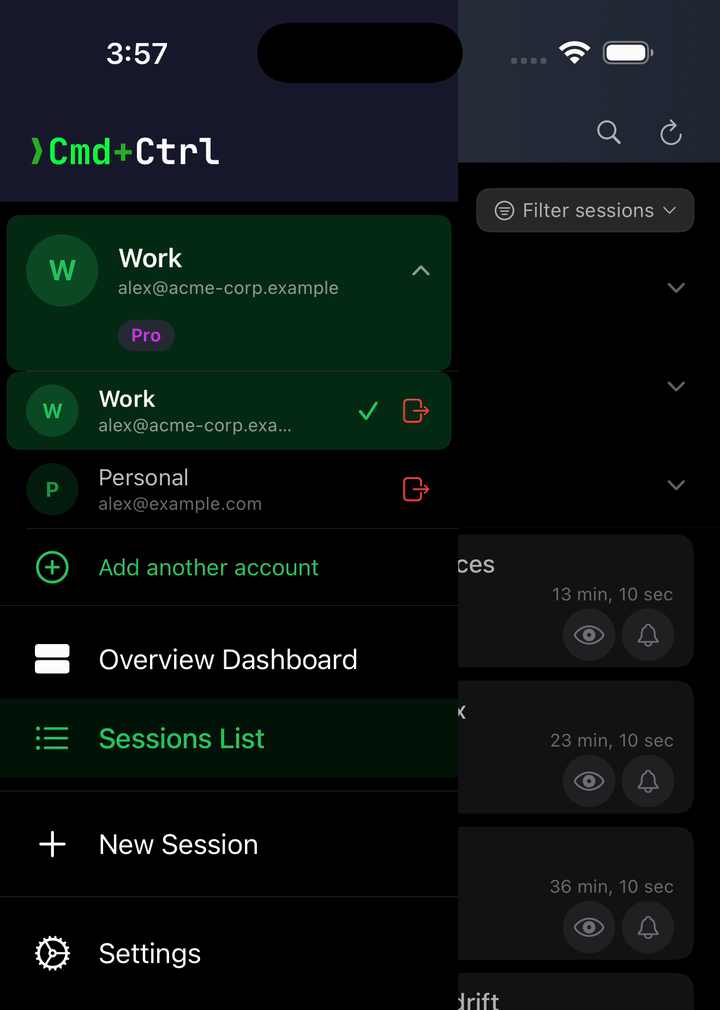
Multiple Accounts, One App
Plenty of us run coding agents under two or more identities. Work vs. Personal. Customer A vs. Customer B.
In the enterprise context where I work, Claude Code runs on a cloud VM against a company-issued API setup, signed in to a work account. At home I'm on a different machine, with a different login, working on my own side projects.
Those two should never share a single session list – and I shouldn't have to sign out of one in a mobile app to check on the other.
To that end, the Cmd+Ctrl app lets you log in to multiple, disparate accounts at once and easily switch between them on mobile.
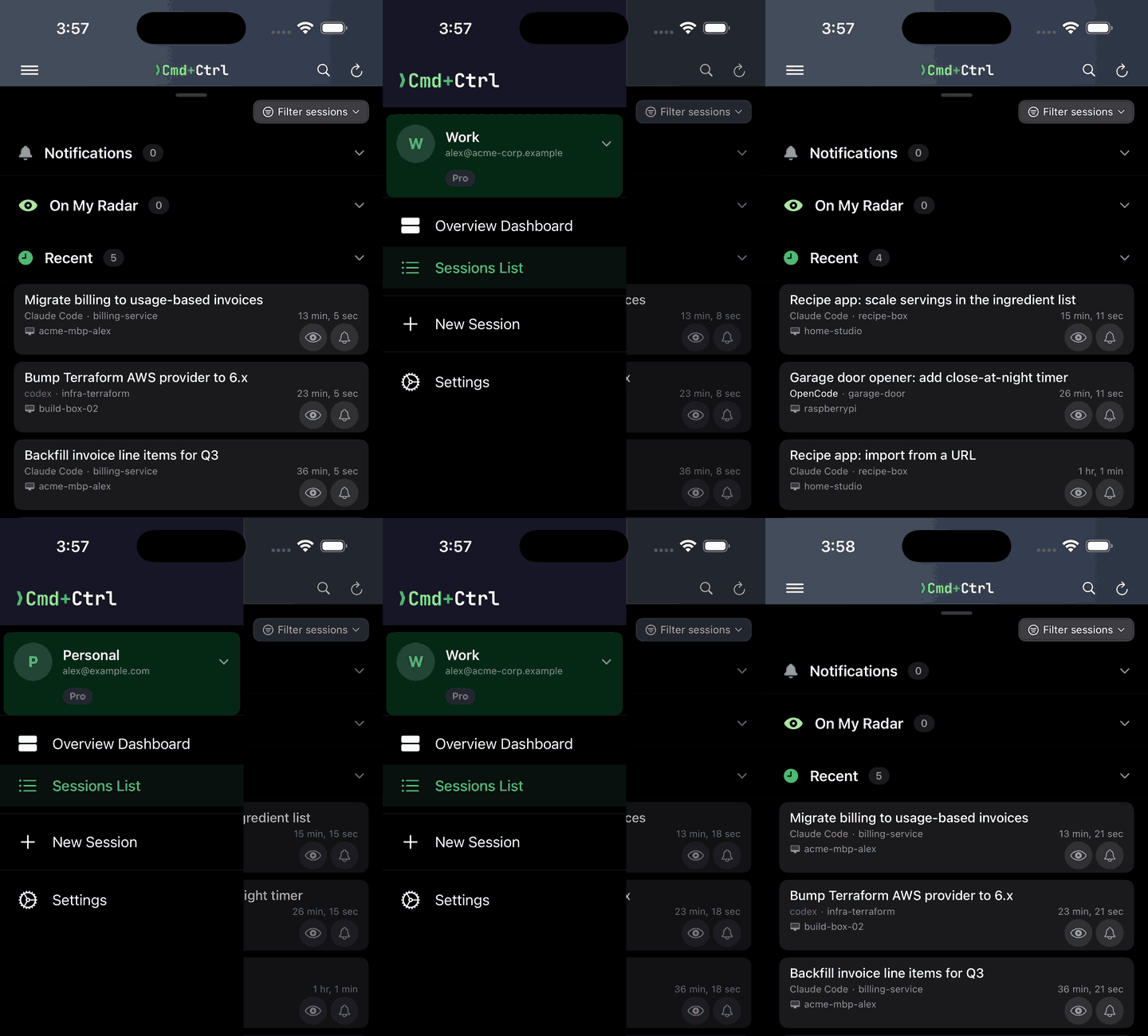
Sign in once per account, then open the drawer and swipe the account row – or tap it and pick the account you want. You're switched to that account's session list and see only its agent sessions and devices – your work projects in one, your personal projects in another. Each account keeps its own devices, sessions and subscription, and they all stay logged in, just a swipe away.
To add another account, open the drawer's account list and tap the green + at the bottom of it. A simple, convenient, powerful feature I use all the time.