Everyone Shipped a Remote. Nobody Shipped a Universal Remote.
Cmd+Ctrl IS the universal remote for coding agents.
In the span of several months, every major coding-agent vendor has shipped a remote control surface.
- Anthropic launched Claude Code Remote Control
- GitHub put the Copilot coding agent in GitHub Mobile
- OpenAI put Codex in the ChatGPT app
- Cursor shipped a mobile app
- Google shipped Remote Control for Antigravity
- opencode has a mobile app
When I started building Cmd+Ctrl in late 2025, none of these existed. They do now, so it's fair to ask the question that I've been asking myself: Does Cmd+Ctrl still have value?
The answer is undoubtedly Yes – and I'm not saying that just because I wrote it.
Here's why in two simple points 👇
1. Multiple coding agent vendors in one place.
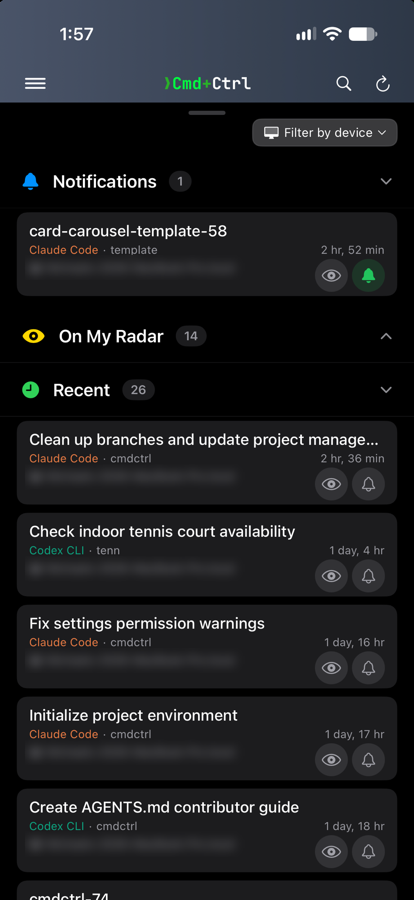
If you run more than one coding agent – both Claude Code and Codex, let's say – no single vendor app will show you both together. If you want to see all of your sessions in one surface, an app like Cmd+Ctrl is the way to do it. Nobody's app shows you someone else's agent. Nobody's ever will.
2. Claude Code with API Tokens? Sorry, Charlie.
Claude Code Remote Control is great. I love it. I use it.
But Claude Code Remote Control requires a claude.ai subscription – "API keys are not supported", and Remote Control is unavailable with Bedrock, Google Cloud's Agent Platform, Foundry and every LLM gateway.
That is exactly how most larger companies run Claude Code. The developers doing the most agent work all day are the ones that gate excludes.
Those are the two structural gaps.
There's a third, softer reason – a handful of useful features you won't find in a single-agent app – listed at the bottom of the post.
What others have built – and what they have in common
Look at all six side by side and one pattern jumps out:
| Vendor | Drives | Requires |
|---|---|---|
| Claude Code Remote Control | Claude Code only | claude.ai subscription – "API keys are not supported"; on Team and Enterprise an Owner must enable it |
| Codex in ChatGPT | Codex only | ChatGPT account with Codex access |
| Cursor Mobile | Cursor agents only | Cursor subscription |
| Copilot cloud agent + GitHub Mobile | Copilot only | A paid Copilot plan; on Business and Enterprise an admin must enable it |
| Antigravity Remote Control | Antigravity only | A Google Account, matching the one on your desktop; Antigravity 2.0 installed |
| opencode Mobile (community-built) | opencode only | Nothing. No account, no subscription |
Every one of them is one agent, one remote control surface.
That's not an accident or a v1 limitation. Each vendor's business is selling their agent, their subscription, and the remote surface exists to deepen the moat around it. Even opencode, with no vendor behind it, got a community app that drives opencode and nothing else.
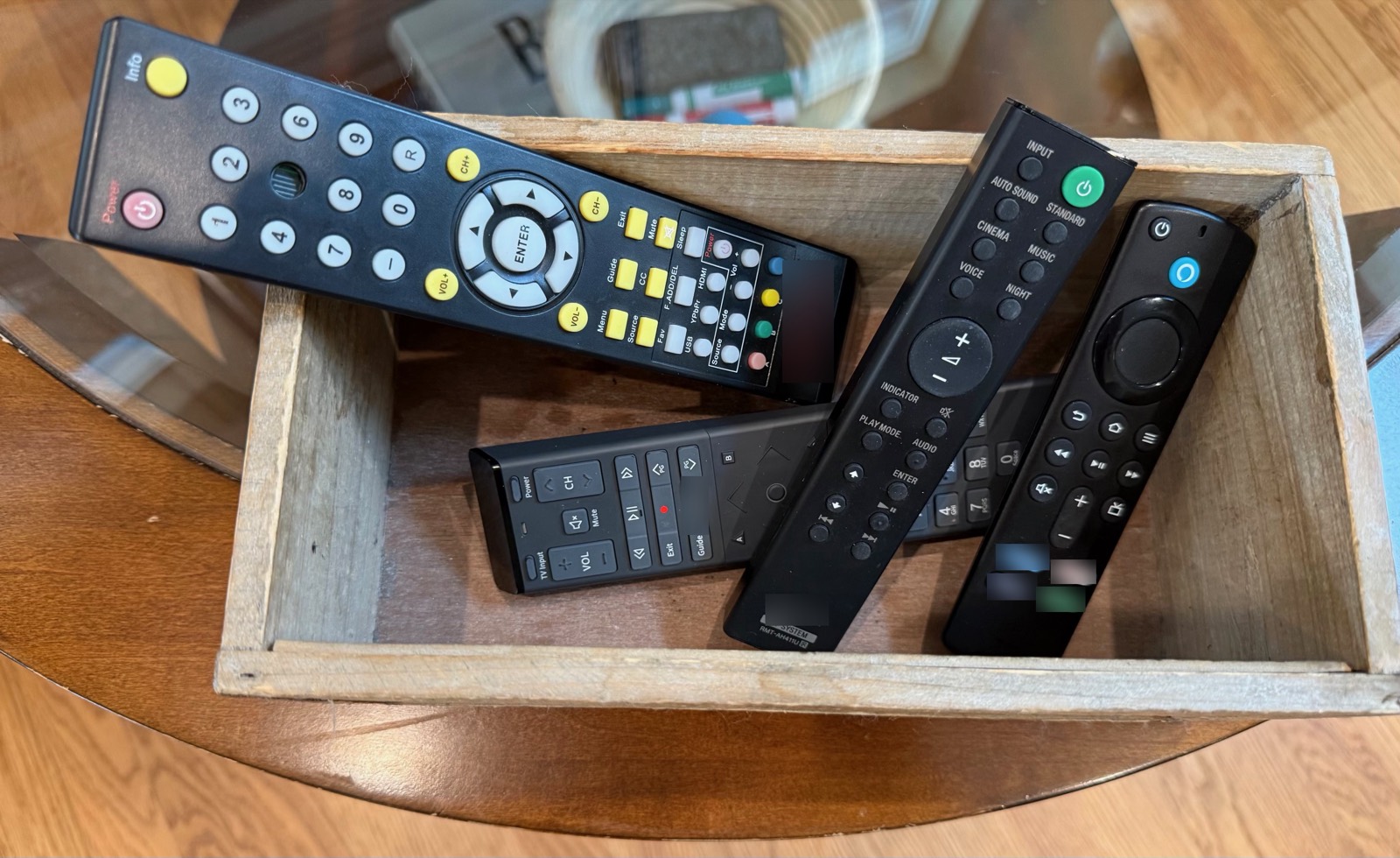
Expecting Anthropic's app to drive Codex is like expecting a Sony remote to drive a Samsung TV.
But here's the thing – wouldn't we LOVE a universal remote to get rid of the branded ones in our living room remote control box?
Credit where it's due
Some of what the vendors have built is genuinely excellent, and pretending otherwise would be silly.
No surprise, Anthropic was the first vendor to release a mobile remote surface. Claude Code Remote Control is great – it steers a live session in your terminal just as it should – type in the mobile app, see it in the terminal. Full feature set.
Cmd+Ctrl has some Claude Code gaps compared to their Remote Control feature set – live terminal updates and AskUserQuestion, to name two prominent ones. Anthropic has a home-field advantage.
Everyone else did the same job for their own agent, and did it well. Codex in ChatGPT reaches your own machine through OpenAI's relay. Copilot and Cursor spin up work you never had to clone. opencode has no vendor app at all and the community built one anyway. None of these is a bad product. Each is a good product with one name on it.
Google's Remote Control for Antigravity is the newest, and the only one that's web-only – no app, just a browser. That matters daily. A mobile web page is not a mobile app. But it's a roadmap gap, and roadmap gaps close – I'd imagine a native app is coming.
I will note that Cmd+Ctrl today cannot support Antigravity. It keeps its session state in an encrypted store, so our daemon has nothing to read. That's a hole in our list until Google opens SDK access of some sort – if they ever do.
If you use exactly one agent, you subscribe to that vendor, and you're not limited by your plan – use their app. It's polished, it's free with your plan, and it's more deeply integrated than any third party can be.
Where Cmd+Ctrl lives
The vendor apps are great — right up until you add a second agent or an API key.
Cmd+Ctrl fills in the vendor gaps very nicely:
You run more than one agent. Cmd+Ctrl shows every session – Claude Code, Codex, Gemini CLI, Copilot, Cursor, Aider, opencode, and friends – in one list, with one visibility and notification model – on mobile and on the web.
You're behind a token, a gateway, or an open-weight model. Our daemon doesn't care how your agent authenticates or whose weights it runs. No claude.ai subscription. Nothing to be gated out of. I live this one personally, in the enterprise context where I work.
The vendor apps are great – right up until you add a second agent or an API key.
That's not the gap between their roadmaps. It's the edge of their business model, and Cmd+Ctrl lives right on the other side of it.
Oh, and by the way...
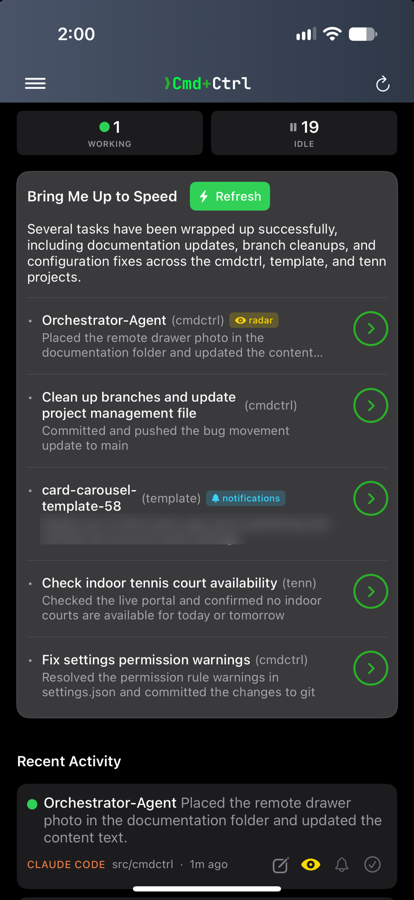
Cmd+Ctrl also has a growing set of handy features that are unique and useful in both single-agent and multi-agent contexts.
| Feature | What it does |
|---|---|
| Overview dashboard | Every agent and every project on one screen – what's running, what's waiting on you, what's gone quiet |
| Per-session notifications | Subscribe to the two sessions you care about tonight; stay quiet on the rest |
| Split pane | Watch two sessions side by side on the web |
| Session popout | Break a session into its own window and arrange them however you work |
Cmd+Ctrl is remote command & control for AI coding agents – any agent, any model, your machine. Get started or read how it works.